AudioCharger Studio
A complete digital audio workstation in a browser tab. Arrange, edit, mix and bounce multitrack sessions with professional tools, without installing anything.
Best on a desktop or laptop. Needs WebGPU or WebGL2. The first load downloads about 6 MB.
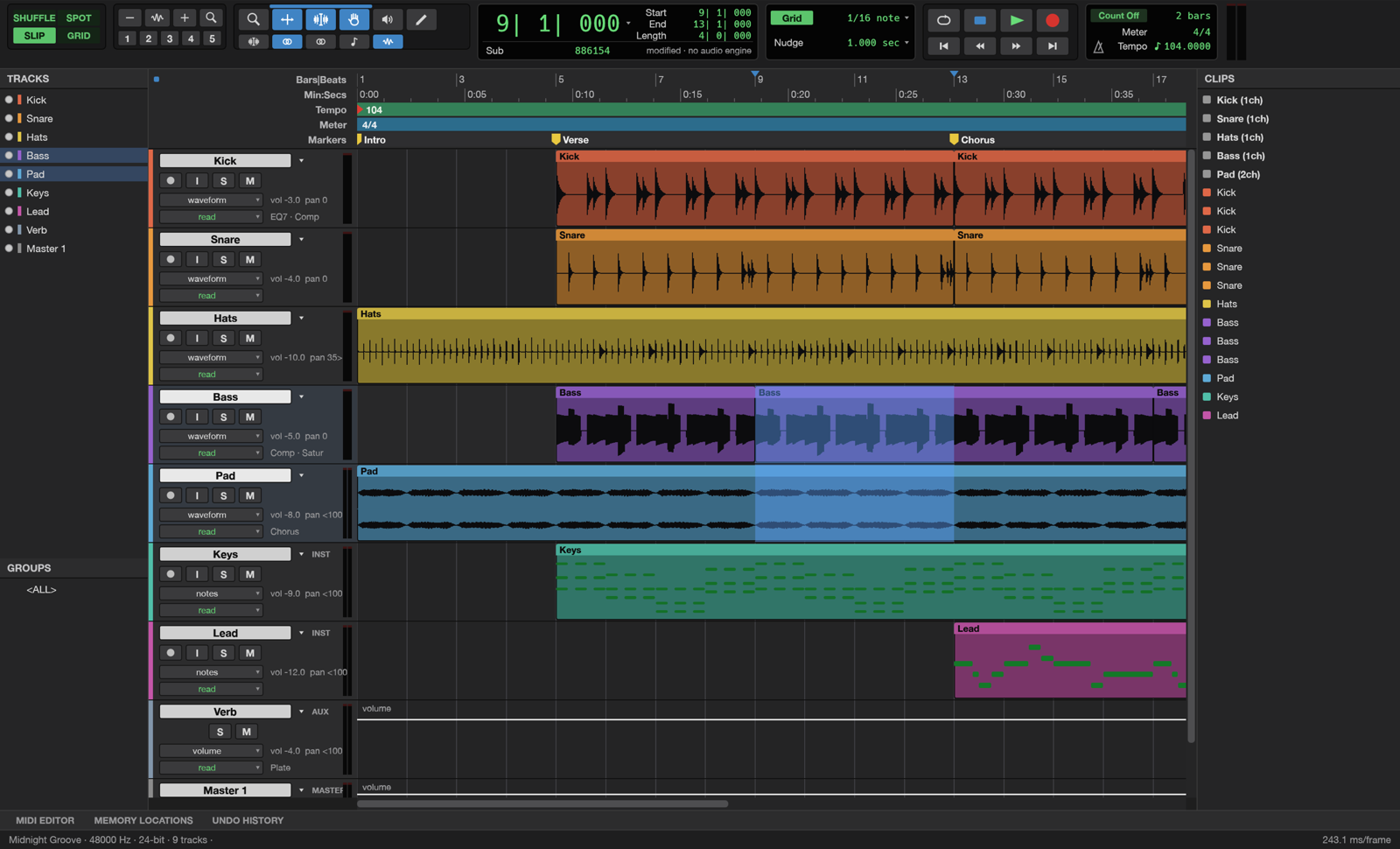
Everything you expect from a studio
Multitrack editing
Shuffle, slip, spot and grid modes, fades and crossfades, playlists, clip gain and unlimited undo.
Full mixer
Inserts and sends, busses and aux inputs, VCAs, solo modes and meters with peak hold.
Built-in plugins
7-band EQ, compressor, gate, de-esser, maximizer, reverbs, delay, chorus, flanger, phaser and saturation.
MIDI & instruments
Piano roll with velocity, score view, step input, quantize, plus a synth, drum synth and sampler.
Tempo & time
Tempo and meter maps, beat detection and pitch-preserving elastic warping.
Automation
Volume, pan, mute, sends and every plugin parameter, written live in Write, Touch and Latch.
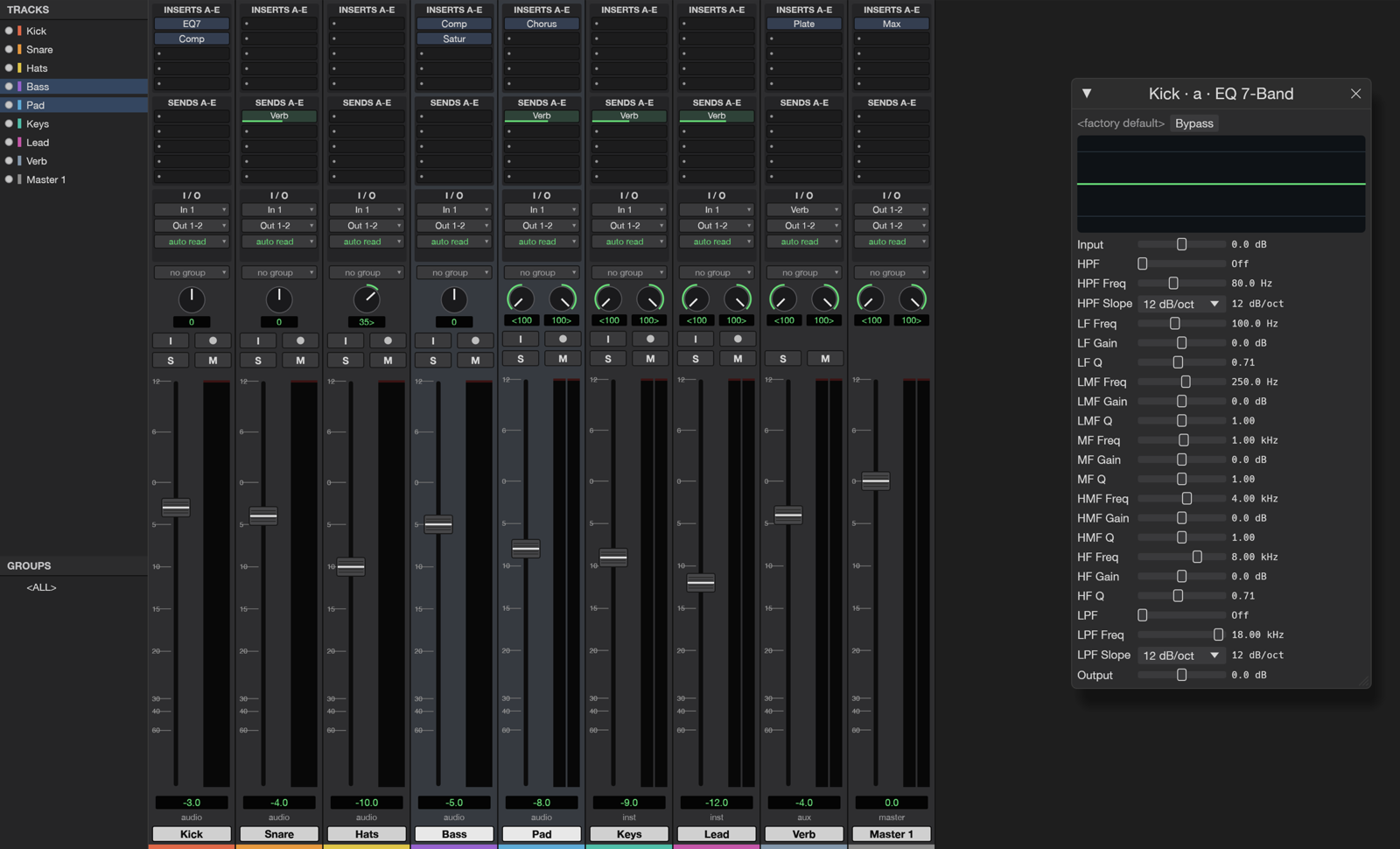
Mix like a pro
Ten inserts and ten sends per track, busses, aux inputs, master faders and automatic plugin delay compensation. Bounce your mix or stems to WAV, AIFF or FLAC with dithering and loudness readouts (LUFS).
- Bounce mix or stems
- True-peak and LUFS meters
- Offline processing for any plugin
- Presets for every plugin
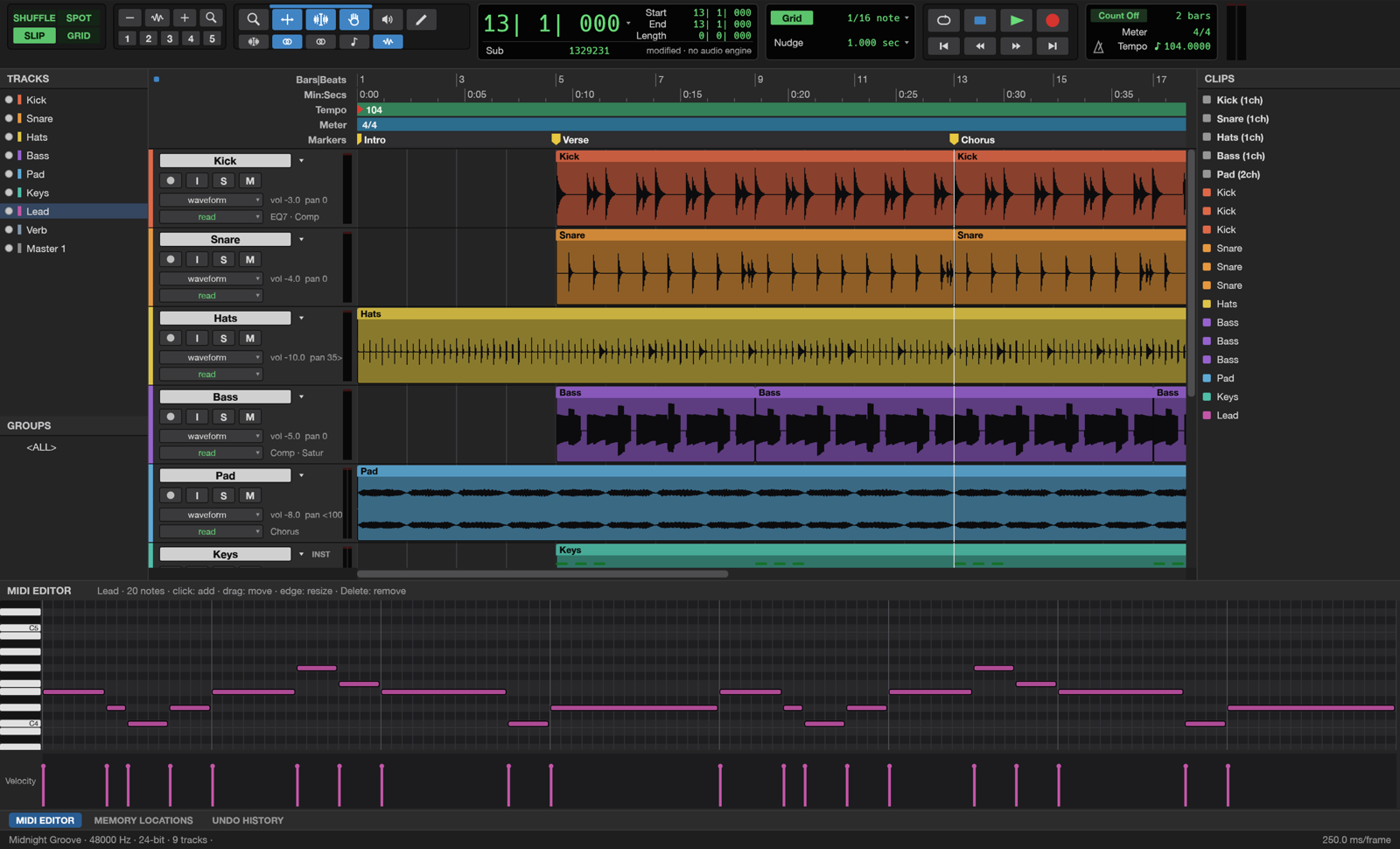
Write music with MIDI
Instrument tracks with built-in synths, a drum synth and a sampler, a piano roll with velocity lane, score view, quantize and transpose, and Standard MIDI File import and export.
Press Space to play, Ctrl+= to switch between Edit and Mix.
Studio FAQ
Is AudioCharger Studio free?
Yes. The Studio is free and open source (MIT or Apache-2.0). There is no account, no watermark and no time limit.
Which browsers are supported?
A recent desktop Chrome, Edge, Firefox or Safari with WebGPU or WebGL2. Phones and small tablets are not recommended because the Studio is a full desktop-style application.
Where are my projects saved?
Your session stays in the browser tab. Use File › Save to download a session bundle and File › Bounce to export WAV, AIFF or FLAC. Nothing is uploaded.
Can I record with my microphone?
The browser version focuses on editing, mixing and MIDI. For recording, use the AudioCharger Audio Recorder tool and import the take into the Studio.
AudioCharger Studio is based on SoundCraft by the ArtCraft Team and the SoundCraft contributors (MIT OR Apache-2.0). It is not affiliated with or endorsed by them. Source code: github.com/storytold/soundcraft.